We have all been there. Staring at a message, unsure how to respond. The cursor blinks. Minutes pass. You type something, delete it, type again, and still feel unsure.
Whether it is a work email that needs the right tone, a LinkedIn message you want to sound professional, or a tricky text you need to handle carefully, finding the right words can be surprisingly hard.
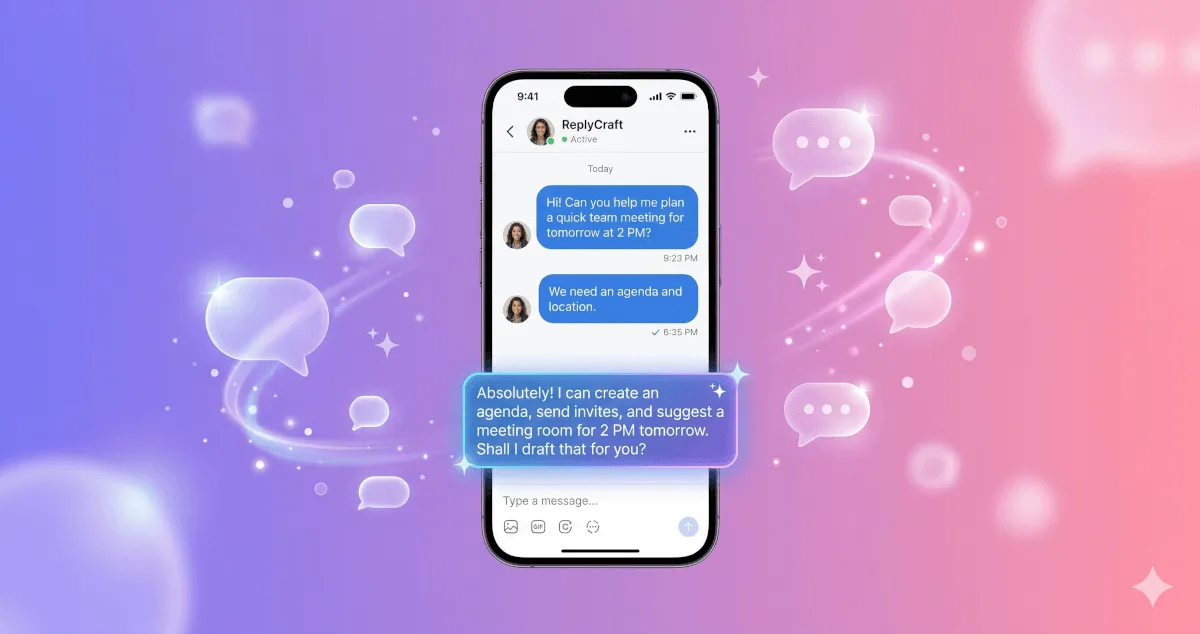
ReplyCraft is an AI-powered reply assistant that helps you craft clear, confident messages in seconds, so you spend less time overthinking and more time communicating.
Why Replying Feels So Hard
Most people do not struggle with writing. They struggle with tone.
You know what you want to say, but you worry about how it sounds. Too formal? Too casual? Too blunt? Not direct enough?
This hesitation slows you down and creates unnecessary stress, especially when:
- You are responding to a difficult client or manager
- You need to decline something politely
- You want to sound professional without being stiff
- You are replying to someone in a language you are still getting comfortable with
The problem is not a lack of words. It is the mental effort of choosing the right ones.
How ReplyCraft Solves This
ReplyCraft uses advanced AI to analyze the message you received and generate thoughtful, context-aware replies. Instead of guessing what to say, you get clear suggestions that match the situation.
Here is what makes it different:
Context-Aware Suggestions
ReplyCraft does not generate random responses. It reads the intent behind the message you received and crafts replies that actually make sense in context. The AI understands whether someone is asking for help, making a complaint, giving feedback, or starting a casual conversation, and responds accordingly.
Choose Your Tone
Not every message calls for the same voice. ReplyCraft lets you switch between tones with a single tap:
- Professional for work emails and formal conversations
- Friendly for casual chats and personal messages
- Witty for social media comments and lighthearted exchanges
- Direct for quick, no-nonsense responses
This means you stay in control of how you come across, without spending time manually adjusting your wording.
Fine-Tune with Context Hints
Sometimes you need more precision. ReplyCraft lets you add extra context like “be polite,” “decline the offer,” or “ask for more details” to guide the AI. This gives you replies that feel personal and intentional rather than generic.
No Accounts. No Tracking.
ReplyCraft works without requiring you to create an account. It uses a secure anonymous ID to deliver a seamless experience while keeping your data private. No sign-ups, no personal data collection, no ads.
Who Benefits from ReplyCraft?
ReplyCraft is built for anyone who communicates through text regularly:
- Professionals who handle dozens of emails and messages daily and need to respond quickly without sacrificing quality
- Freelancers and consultants who need to maintain a professional tone across client conversations
- Non-native speakers who want help expressing ideas clearly and naturally
- Social media users who want to keep conversations engaging without overthinking every reply
- Anyone with writer’s block who just needs a starting point to get the words flowing
Real Scenarios Where ReplyCraft Helps
A client sends a vague project brief. Instead of spending ten minutes crafting a diplomatic follow-up, ReplyCraft generates a clear, polite request for clarification in seconds.
Your manager gives critical feedback over email. ReplyCraft helps you respond thoughtfully and professionally, acknowledging the feedback without sounding defensive.
Someone leaves a comment on your social media post. ReplyCraft suggests a witty, engaging reply that keeps the conversation going.
You need to decline a meeting invitation. ReplyCraft drafts a respectful decline that maintains the relationship.
Better Communication, Less Stress
Good communication is not about writing perfectly. It is about expressing your intent clearly, in the right tone, at the right time.
ReplyCraft removes the friction from that process. You stop second-guessing, respond faster, and communicate with confidence, whether it is a two-line text or a detailed email.
Try ReplyCraft Today
Stop staring at the blinking cursor. Download ReplyCraft and start crafting clear, confident replies in seconds.
Download on Google Play | Download on the App Store
Your words matter. ReplyCraft helps you get them right.